WAMP: You don't have permission to access on this server.

新安装的 WAMP ,在其他电脑访问时,会出现 403错误:

1
2
Forbidden 
You don't have permission to access on this server.

解决办法:

在安装目录 盘符:\wamp64\bin\apache\apache2.4.23\conf\extra 中找到 httpd-vhosts.conf文件:

1
2
3
4
5
6
7
8
9
VirtualHost *:80>
ServerName localhost
DocumentRoot d:/wamp64/www
<Directory "d:/wamp64/www/">
Options +Indexes +Includes +FollowSymLinks +MultiViews
AllowOverride All
Require local
</Directory>
</VirtualHost>

修改为:

1
2
3
4
5
6
7
8
9
VirtualHost *:80>
ServerName localhost
DocumentRoot d:/wamp64/www
<Directory "d:/wamp64/www/">
Options +Indexes +Includes +FollowSymLinks +MultiViews
AllowOverride All
Require all granted
</Directory>
</VirtualHost>

Nginx 服务器部署 php 项目

示例的服务器操作系统为 ubuntu

默认的网站根目录 /var/www/html,可以把项目拷贝到该目录下,也可在/var/www目录下建立目录。我们把项目放在 /var/www/目录下: /var/www/project_name.

然后将 Nginx 的用户名和用户组 www-data 分配给它:

1
2
3
4
5
#进入 /var/www 目录
cd /var/www

#分配用户名和用户组
chown -R www-data:www-data project_name

配置 Nginx:

nginx 的默认配置位于 /etc/nginx/sites-available/default

1
2
3
4
5
6
7
8
9
10
11
12
13
14
15
16
17
18
19
20
21
22
23
24
25
26
27
server {
listen 80 default_server;
listen [::]:80 default_server;

# SSL configuration
#
# listen 443 ssl default_server;
# listen [::]:443 ssl default_server;

# 网站根目录,根据实际情况修改
root /var/www/project_name;

# Add index.php to the list if you are using PHP
index index.php index.html index.htm index.nginx-debian.html;

server_name _;

location / {
try_files $uri $uri/ =404;
}

location ~ \.php$ {
include snippets/fastcgi-php.conf;
fastcgi_pass unix:/run/php/php7.1-fpm.sock;
}
}

如果配置一个站点,简单配置如上即可。

Nginx 配置多站点:

1、建立多个项目:

/var/www/project1
/var/www/project2

2、在 /etc/nginx/sites-available/ 目录下新建配置 project1(或拷贝default,重命名为 project1):

1
2
3
4
5
6
7
8
9
10
11
12
13
14
15
16
17
18
19
20
server{
listen 80 default_server;
listen [::]:80 default_server ipv6only=on;

#网站域名,根据自己的域名修改,如果只是本机用来开发测试,可自定义
server_name www.project1.com;

#项目目录地址
root /var/www/project1;
index index.html index.php;

location / {
try_files $uri $uri/ = 404;

}

location ~ \.php$ {
include snippets/fastcgi-php.conf;
fastcgi_pass unix:/run/php/php7.1-fpm.sock;
}

project2 配置类似 project1 ,修改相应的域名、项目目录即可。

3、建立 /etc/nginx/sites-available//etc/nginx/sites-enable 的软连接

1
2
3
4
cd  /etc/nginx/sites-available

ln -s project1 /etc/nginx/sites-enable
ln -s project2 /etc/nginx/sites-enable

/etc/nginx/sites-enable 文件夹中的配置为当前可用的配置

4、修改 hosts

1
vi /etc/hosts

hosts 文件中添加:

1
2
127.0.0.1  www.project1.com
127.0.0.1 www.project2.com

保存。

5、重启 Nginx

1
service nginx restart

在浏览器中访问 www.project1.comwww.project2.com 测试是否配置成功。

Ubuntu 服务器配置 LEMP 环境

Ubuntu 安装 LEMP (Nginx、MySQL、PHP)开发环境,以及安装 Composer、Nodejs(npm)、Redis、Memcached 等。

系统更新

1
2
3
4
5
sudo bash # 之后就可以省略输入 sudo 

apt-get update

apt-get upgrade -y

安装 PPAs

1
2
3
apt-add-repository ppa:ondrej/php -y

apt-get update

安装一些基本软件包

1
2
apt-get install -y build-essential dos2unix gcc git git-lfs libmcrypt4 libpcre3-dev libpng-dev chrony unzip make pv \
python3-pip re2c supervisor unattended-upgrades whois vim cifs-utils bash-completion zsh graphviz avahi-daemon tshark

安装 PHP 通用包

1
2
apt-get install -y --allow-change-held-packages \
php-imagick php-memcached php-redis php-xdebug php-dev php-swoole

安装 PHP 8.3

1
2
3
4
5
6
apt-get install -y --allow-change-held-packages \
php8.3 php8.3-bcmath php8.3-bz2 php8.3-cgi php8.3-cli php8.3-common php8.3-curl php8.3-dba php8.3-dev \
php8.3-enchant php8.3-fpm php8.3-gd php8.3-gmp php8.3-imap php8.3-interbase php8.3-intl php8.3-ldap \
php8.3-mbstring php8.3-mysql php8.3-odbc php8.3-opcache php8.3-pgsql php8.3-phpdbg php8.3-pspell php8.3-readline \
php8.3-snmp php8.3-soap php8.3-sqlite3 php8.3-sybase php8.3-tidy php8.3-xml php8.3-xsl \
php8.3-zip php8.3-imagick php8.3-memcached php8.3-redis php8.3-xmlrpc php8.3-xdebug

编辑 /etc/php/8.3/fpm/php.ini :

1
cgi.fix_pathinfo=0

安装 Nginx

1
apt-get install -y --allow-downgrades --allow-remove-essential --allow-change-held-packages nginx

安装 mysql

1
apt install -y mysql-server mysql-client mysql-common

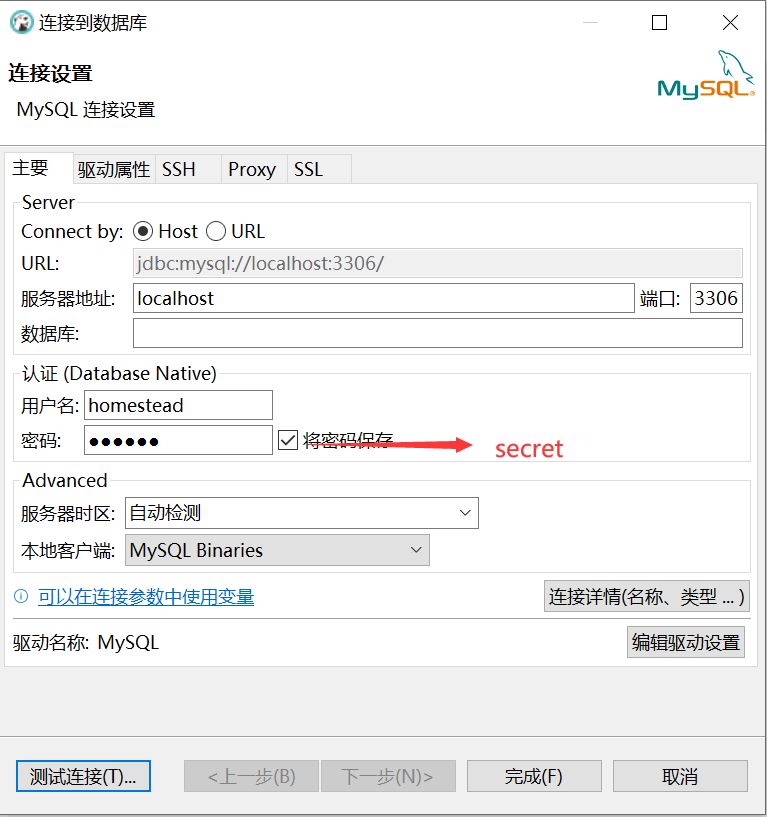
运行 sudo mysql 命令即可以 root 账户登录 mysql,添加用户并授权,之前用 Homestead 开发环境,这里沿用 homesteadsecret 作为数据库的默认账号密码,可自行修改:

1
2
3
CREATE USER IF NOT EXISTS 'homestead'@'%' IDENTIFIED BY 'secret';
GRANT ALL PRIVILEGES ON *.* TO 'homestead'@'%';
FLUSH PRIVILEGES;

安装 Sqlite

1
apt-get install -y sqlite3 libsqlite3-dev

安装 Redis, Memcached

1
2
3
4
5
6
apt-get install -y redis-server memcached

# redis 开机自启动
systemctl enable redis-server

service redis-server start

安装 Composer

1
2
curl -sS https://getcomposer.org/installer | php
mv composer.phar /usr/local/bin/composer

安装 NodeJS

1
2
3
4
5
6
7
curl -SLO https://deb.nodesource.com/nsolid_setup_deb.sh

chmod 500 nsolid_setup_deb.sh

./nsolid_setup_deb.sh 20

apt-get install nodejs -y

其中 20 为版本号,查看https://nodejs.org/ 最新版本信息。

参考:https://github.com/nodesource/distributions#installation-scripts

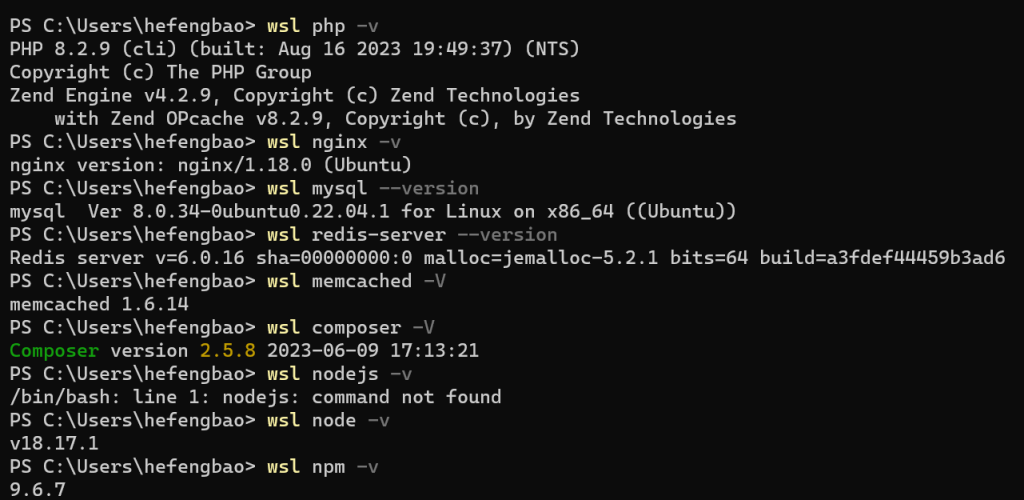
通过终端查看各个软件的版本:

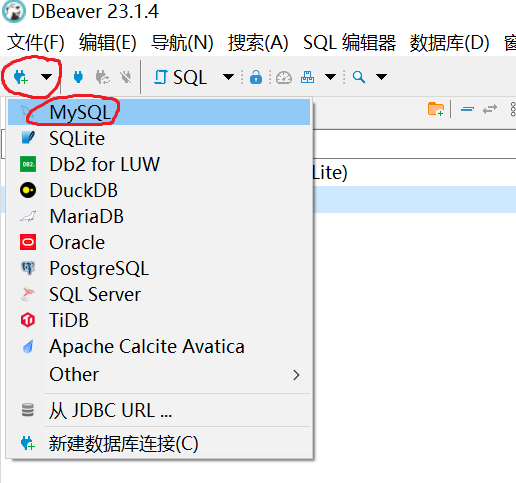
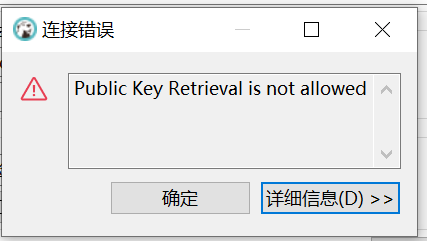
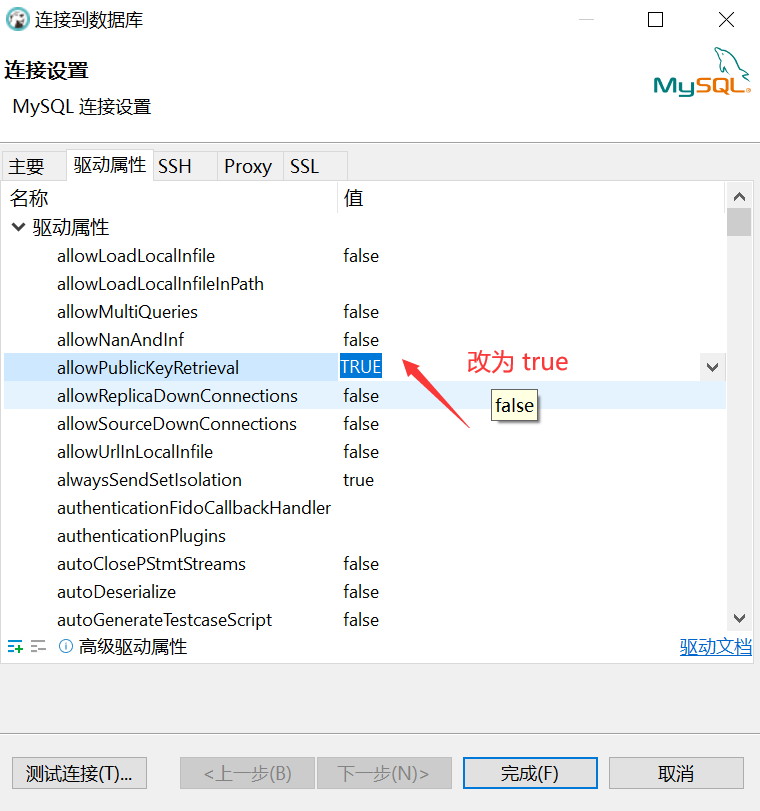
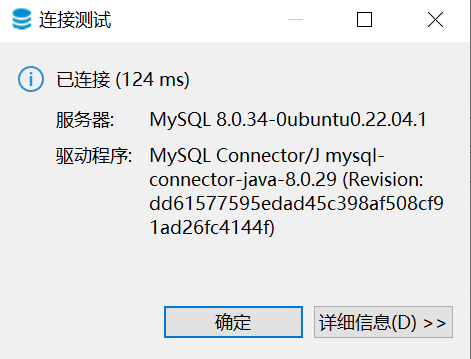
测试连接 mysql ,我客户端用的是 dbeaver 社区版

参考:

https://github.com/laravel/homestead/blob/main/bin/wsl-init